
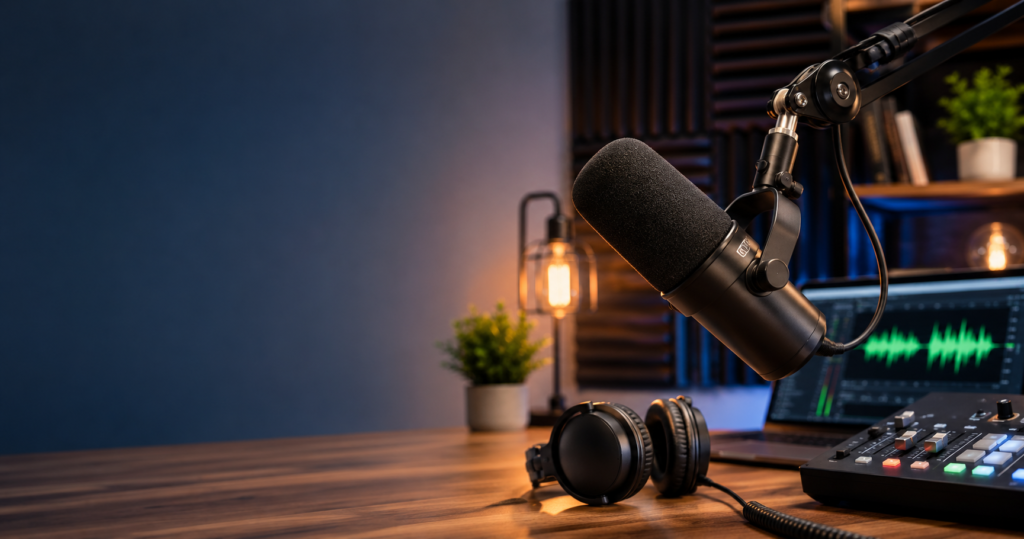
Choosing the right microphone for podcast recording can make or break your show. Listeners forgive average content far more easily than they forgive bad audio — a hissy, echoey, or muffled voice is the fastest way to lose subscribers.
The good news? You don’t need a $1,000 studio setup to sound professional in 2026. With the right mic matched to your room, voice, and recording style, even a $100 microphone can deliver broadcast-quality results.
This guide breaks down the best podcast microphones available today, organized by budget and use case. Whether you’re recording solo from a bedroom or hosting in-studio interviews, you’ll find a mic here that fits your workflow and sounds great doing it.
We’ll also cover the essentials most beginners overlook: USB vs. XLR, dynamic vs. condenser, and the accessories that actually matter. Let’s get into it.
Quick Picks: The Best Podcast Microphones in 2026
If you’re short on time, here are our top recommendations across every category. Each pick has been chosen for sound quality, ease of use, and real-world value for podcasters in 2026.
| Category | Best Pick | Price (USD) | Connection |
| Best Overall | Shure SM7B | $399 | XLR |
| Best USB Mic | Shure MV7+ | $279 | USB / XLR |
| Best Budget Pick | Audio-Technica ATR2100x-USB | $99 | USB / XLR |
| Best Premium | Earthworks ETHOS | $399 | XLR |
| Best for Beginners | Rode PodMic USB | $199 | USB / XLR |
| Best for Multi-Host | Rode PodMic (XLR) | $99 | XLR |
| Best Wireless | DJI Mic 2 | $349 | Wireless |
These picks span every budget bracket from under $100 to professional studio gear. Most podcasters will land happily in the $100–$300 range, where the price-to-quality ratio is strongest in 2026.
If you’re just starting out, prioritize a USB or hybrid USB/XLR mic — they’re easier to set up and you can grow into XLR later. We’ll explore each pick in detail throughout this guide.
USB vs. XLR: Which Connection Should You Choose?
This is the first decision every new podcaster faces, and it shapes everything else about your setup. Both options can deliver great audio — the right choice depends on your goals, budget, and how technical you want to get.
USB microphones plug directly into your computer. They’re truly plug-and-play with no extra gear required, which makes them perfect for solo podcasters and beginners. The trade-off is limited expandability and slightly lower ceiling on audio quality.
XLR microphones require an audio interface or mixer to connect to your computer. They cost more upfront, but they offer better sound quality, longer cable runs, and the ability to record multiple mics simultaneously — essential for in-person interviews.
| Feature | USB Microphone | XLR Microphone |
| Setup Complexity | Plug-and-play | Requires interface |
| Starting Price | $50–$150 | $100 mic + $100 interface |
| Multi-Mic Recording | Difficult | Easy |
| Sound Quality Ceiling | Good | Excellent |
| Upgrade Path | Limited | Modular and expandable |
| Best For | Solo podcasters | Pro setups, interviews |
If you’re recording solo from home and want to be on-air this weekend, get a USB mic. If you’re building a studio for the long haul or recording with co-hosts in the same room, invest in XLR from the start.
A smart middle ground: hybrid USB/XLR mics like the Audio-Technica ATR2100x or Shure MV7+. They run as USB today and convert to XLR when you upgrade your setup later.
Dynamic vs. Condenser Microphones: What’s the Difference?
Beyond the connection type, the second major choice is between dynamic and condenser microphones. They capture sound very differently, and one is generally better suited to home podcasting than the other.
Dynamic microphones are less sensitive, which means they reject background noise, room echo, and untreated acoustics far better than condensers. This makes them the go-to for home studios and noisy environments.
Condenser microphones are more sensitive and capture finer detail in your voice. They sound crisp and natural in a treated, quiet room — but they pick up everything, including HVAC hum, keyboard clicks, and street noise.
| Feature | Dynamic Mic | Condenser Mic |
| Sensitivity | Lower | Higher |
| Background Noise Rejection | Excellent | Poor |
| Room Treatment Required | Minimal | Significant |
| Sound Character | Warm, focused | Detailed, airy |
| Best Use Case | Home studios, untreated rooms | Treated studios |
| Common Examples | Shure SM7B, Rode PodMic | Blue Yeti, AT2020 |
For 99% of podcasters recording at home, a dynamic mic is the safer choice. It will sound professional in almost any room, while a condenser can sound amazing or terrible depending entirely on your acoustics.
The biggest mistake new podcasters make is buying a Blue Yeti (a condenser) and recording in a hard-walled bedroom. The result is hollow, echoey audio. A dynamic mic in the same room would sound dramatically better.
Top Microphones for Podcast Recording: Detailed Reviews
Now let’s get into the individual mic recommendations. Each of these has been selected for podcast use specifically — not music recording, not gaming, not stage performance.
1. Shure SM7B — Best Overall ($399)
The SM7B is the industry-standard podcast mic for a reason. It’s a dynamic XLR microphone that delivers warm, broadcast-quality audio with excellent rejection of room noise.
You’ve heard this mic on Joe Rogan, Marc Maron, and countless other top shows, according to Wikipedia. Its smooth low-mid response flatters most voices, and the built-in pop filter handles plosives well.
The catch: the SM7B requires a strong preamp. Budget interfaces won’t drive it cleanly, so plan to pair it with a Cloudlifter (+$150) or a higher-end interface to avoid hiss.
2. Shure MV7+ — Best USB Mic ($279)
The MV7+ is the SM7B’s smaller, smarter sibling. It’s a hybrid USB/XLR dynamic mic with built-in DSP, auto-leveling, and a touch panel for monitoring controls.
For podcasters who want SM7B-style sound without the interface and preamp headaches, this is the easiest path, as reported by TechCrunch. The 2024 update added a built-in pop filter and improved DSP processing.
It’s not quite as warm as the original SM7B, but it’s significantly more practical. Plug-and-play with USB-C, then graduate to XLR when you upgrade.
3. Audio-Technica ATR2100x-USB — Best Budget Pick ($99)
If you want one mic recommendation for new podcasters, this is it. The ATR2100x is a hybrid USB/XLR dynamic that punches far above its $99 price point.
It rejects room noise like a much pricier mic, has a built-in headphone jack, and works on USB-C out of the box. When you’re ready to upgrade your setup, the same mic plugs into an XLR interface.
The only catch: you need to speak close to it (2–3 inches) for best results. Pair it with a basic boom arm and you have a serious podcast rig for under $150.
4. Earthworks ETHOS — Best Premium Pick ($399)
The ETHOS is a supercardioid condenser that breaks the usual rules. Despite being a condenser, its narrow pickup pattern rejects room noise almost as well as a dynamic mic.
The result is detailed, airy condenser sound with the practicality of a dynamic. It’s warm, smooth, and reveals every nuance of your voice without amplifying every footstep upstairs.
It’s also gorgeous — stainless steel construction, built-in shockmount, and a swivel mount that makes positioning effortless. If budget allows, this is arguably the best podcast mic on the market.
5. Rode PodMic USB — Best for Beginners ($199)
Rode designed the PodMic USB specifically for new podcasters who want pro results without the learning curve. It’s a hybrid USB/XLR dynamic with built-in DSP, EQ presets, and a compressor.
The mic comes pre-tuned with broadcast-style processing, so even a complete beginner can sound polished on day one. Companion software unlocks deeper customization as you learn.
At $199, it sits between budget hybrids like the ATR2100x and pro-grade options like the MV7+. A solid pick if you want to start strong without overspending.
6. Rode PodMic (XLR) — Best for Multi-Host Setups ($99)
The original XLR PodMic is the cheapest way to outfit a multi-host studio with quality dynamic mics. At $99 each, you can mic up four hosts for less than the cost of a single SM7B.
It has a built-in shockmount and pop filter, broadcast-style sound, and works with any standard XLR interface. The internal mount also makes it look great on camera for video podcasts.
It’s not as refined as the SM7B or ETHOS, but for a roundtable show on a budget, nothing beats it.
7. DJI Mic 2 — Best Wireless Option ($349)
For roving podcasters, on-location interviews, or hybrid video/audio creators, the DJI Mic 2 is a game-changer. It’s a wireless lavalier system with two transmitters, internal recording, and AI noise cancellation.
The 2024 model added 32-bit float internal recording, meaning you can’t clip your audio no matter how loud the source. This is huge for unpredictable interview environments.
It’s not a substitute for a dedicated studio mic, but for content creators who shoot video and audio on the go, it’s the most flexible tool available right now.
Microphone Comparison: Sound Quality vs. Price
To help visualize where each mic sits in the value-for-money landscape, here’s how our top picks compare across two key axes.
Sound Quality vs. Price (Higher = Better)
Sound Quality (out of 10)
10 | ● Earthworks ETHOS
9 | ● Shure SM7B
8 | ● Shure MV7+
7 | ● Rode PodMic USB
6 | ● ATR2100x ● Rode PodMic (XLR)
5 |
+—-+—-+—-+—-+—-+—-+
$100 $150 $200 $250 $300 $400
Price (USD)
The sweet spot for most podcasters falls in the $100–$300 range. Below $100, you’re sacrificing real audio quality. Above $400, you’re paying for diminishing returns unless you have professional needs.
Notice how the ATR2100x and Rode PodMic XLR both deliver strong value at $99 — they’re the smartest entry points for budget-conscious creators in 2026.
Essential Accessories for Podcast Recording
A great mic is only half the story. The right accessories will improve your audio more than upgrading from a $200 mic to a $400 one ever will.
Boom arm: A boom arm lets you position your mic at the perfect angle and distance, freeing up desk space. The Rode PSA1+ ($129) is the gold standard, while the Innogear arm ($35) is a solid budget pick.
Pop filter: Pop filters block plosive blasts from “P” and “B” sounds. Many podcast mics include one built-in, but a clip-on foam or mesh filter ($10–$20) is cheap insurance.
Shockmount: Shockmounts isolate the mic from desk vibrations and bumps. Most condensers need one; most dynamics don’t. Check your specific mic’s requirements before buying.
Audio interface (for XLR mics): The Focusrite Scarlett 2i2 ($199) is the standard recommendation for solo podcasters. For multi-host setups, the RodeCaster Duo or Pro II are purpose-built for podcasting.
Closed-back headphones: You need closed-back headphones to monitor without sound bleeding into your mic. The Sony MDR-7506 ($100) and Audio-Technica ATH-M50x ($170) are both excellent choices.
Skip fancy XLR cables — there’s no audible difference between a $10 cable and a $100 cable. Spend that money on room treatment or a better mic instead.
Room Setup Tips for Better Podcast Audio
Even the best microphone can’t save bad acoustics. A few free or cheap fixes will dramatically improve your sound before you spend another dollar on gear.
Record in a smaller room with soft surfaces — beds, curtains, rugs, and upholstered furniture all absorb sound. Avoid bathrooms, kitchens, and empty rooms with hard floors and bare walls.
Position your mic 4–6 inches from your mouth at a slight off-axis angle. This captures your voice fully while reducing plosives and breath noise. Speak across the mic, not directly into it.
If you can hear obvious echo when you clap, hang moving blankets, foam panels, or even thick curtains on the walls behind and beside you. You don’t need to treat the whole room — just the area around the mic.
Turn off fans, AC, and noisy appliances during recording. A dynamic mic will help reject these, but eliminating them at the source is always better than trying to remove them in post.
Conclusion
The best microphone for podcast recording in 2026 depends on your budget and setup. The ATR2100x wins for beginners, the Shure MV7+ leads USB picks, and the SM7B remains the pro standard. Pair any solid mic with good technique and room treatment for great results.
Frequently Asked Questions
What is the best microphone for podcast recording in 2026?
The Shure SM7B remains the industry-standard pick for serious podcasters thanks to its warm, broadcast-quality sound and excellent noise rejection. For beginners, the Audio-Technica ATR2100x offers nearly professional results at $99, while the Shure MV7+ is the best USB option for those who want plug-and-play simplicity with room to grow.
Is USB or XLR better for podcasting?
USB is better for beginners, solo podcasters, and anyone who wants a simple plug-and-play setup. XLR is better for multi-host shows, professional studios, and anyone planning to scale their audio quality over time. Hybrid USB/XLR mics like the ATR2100x or MV7+ give you the best of both worlds.
Do I need an expensive microphone to start a podcast?
No. A $99 mic like the Audio-Technica ATR2100x or Rode PodMic XLR can deliver professional-sounding audio when paired with good mic technique and basic room treatment. Most listeners can’t tell the difference between a $100 mic and a $400 mic in a properly set-up room. Spend on technique and acoustics first, then upgrade gear later.
How far should I sit from my podcast microphone?
For most dynamic podcast microphones, position your mouth 4–6 inches from the mic. Budget mics like the ATR2100x sound best at 2–3 inches. Always speak slightly off-axis — across the mic rather than directly into it — to reduce plosives and breath noise while maintaining a full, natural tone.